Is touch on a screenthe best way to communicate?

Having a physical form can be a risk; it restricts an object’s potential to a single, fixed function. To transcend this limitation, physical entities (hardware) have merged with the virtual entities: computers (software).

It is remarkable how many possibilities the iPhone—a simple rectangular block—unlocked by merging with the computer.

As computers rapidly evolved into Artificial Intelligence, now this intelligence has begun to redefine the very physical structures that once served as its container.

While AI changes the definition of a product and reshapes how we interact with it, is touch on a screen still the best way to communicate with a computer?

HAND-GESTURE-DRIVENAUDIO CONTROL SYSTEM

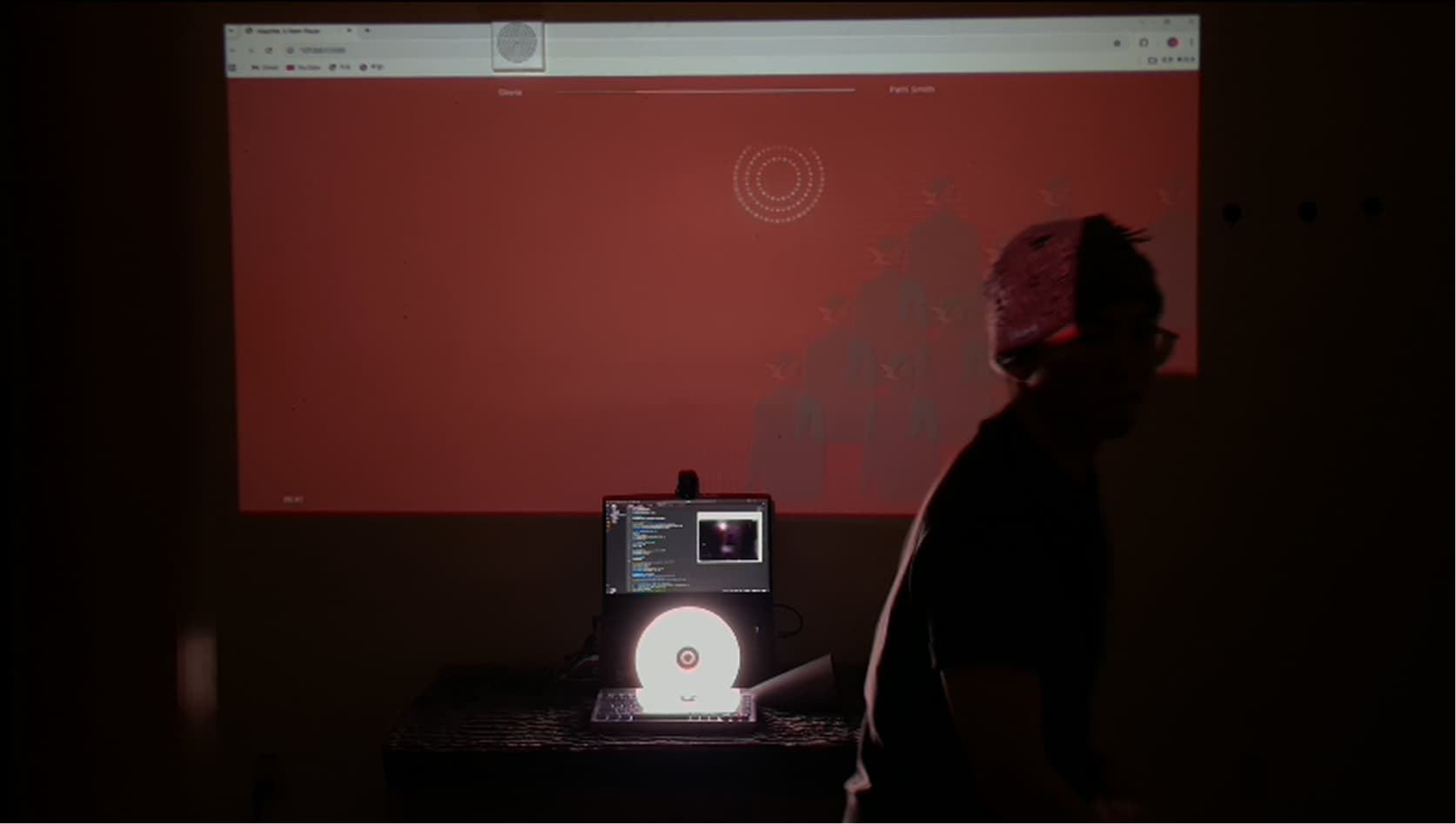
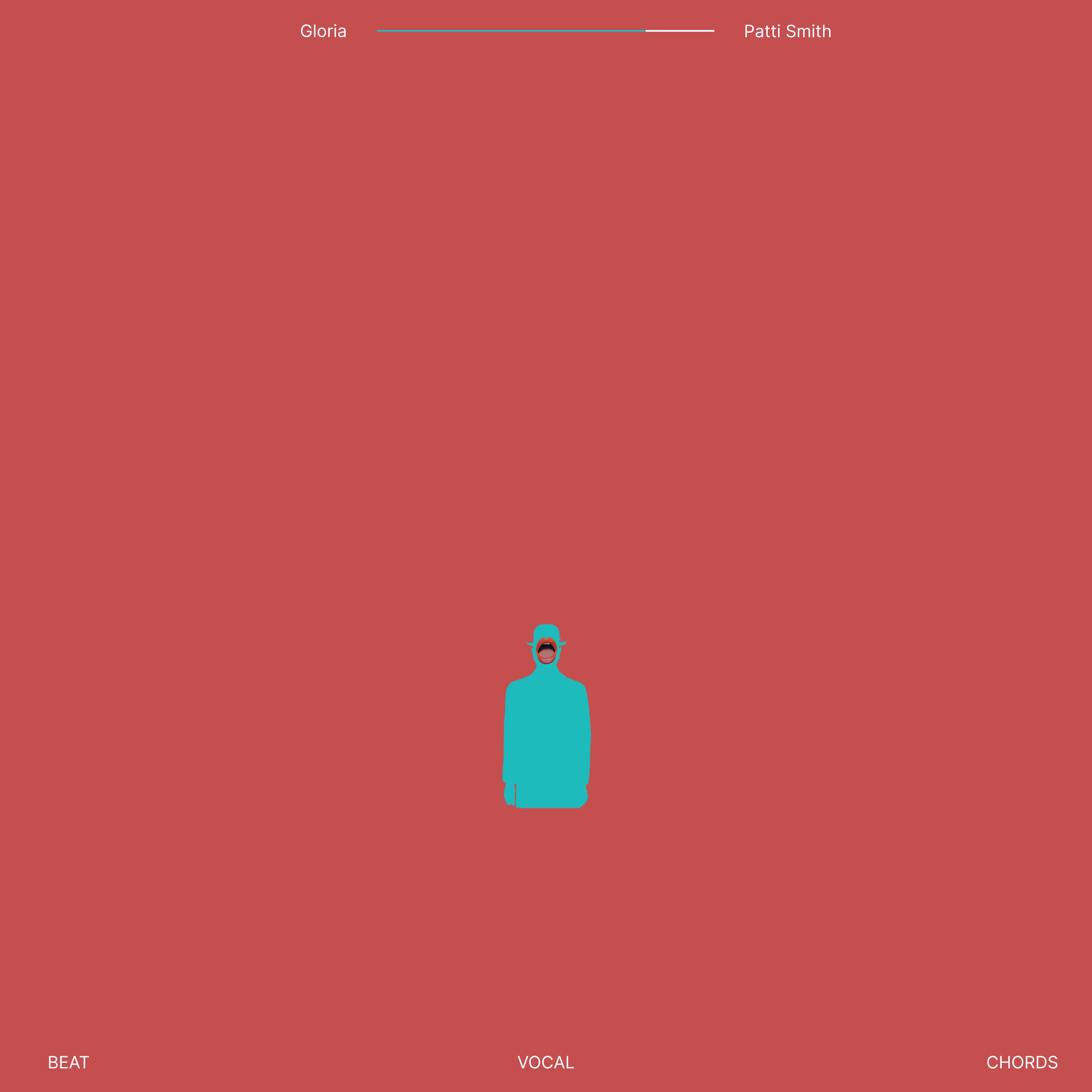
A hand-gesture-based interface that provides independent control over the separate multitrack stems—Vocal, Beat, and Chords—of a selected audio source. Developed through an integrated Human-AI workflow of direction and execution.

Why Hand-Gestures?

Spatial Interaction

AI will inhabit entire physical spaces rather than being confined to a single device. In the era of Ambient Computing, the expanded scale of HCI necessitates non-contact interaction to ensure user freedom and seamless UX connectivity across various devices.

Why Control Audio with Hand-Gestures?

Superiority in Audio Interface

Simultaneous Multi-Input

Real-time musical control, such as DJing or conducting, often involves performing more than one operation at once. Using both hands provides a powerful advantage for concurrent multi-input.

Precision Control

Elements like tempo and volume require high-precision adjustments. The human hand is the most refined and delicate tool for such precise modulation.

Bodily Expression

Music and dance are inseparable; hand gestures are a fundamental form of bodily expression. The body, moving freely within a set of rules, becomes a dance in itself.

Visuals

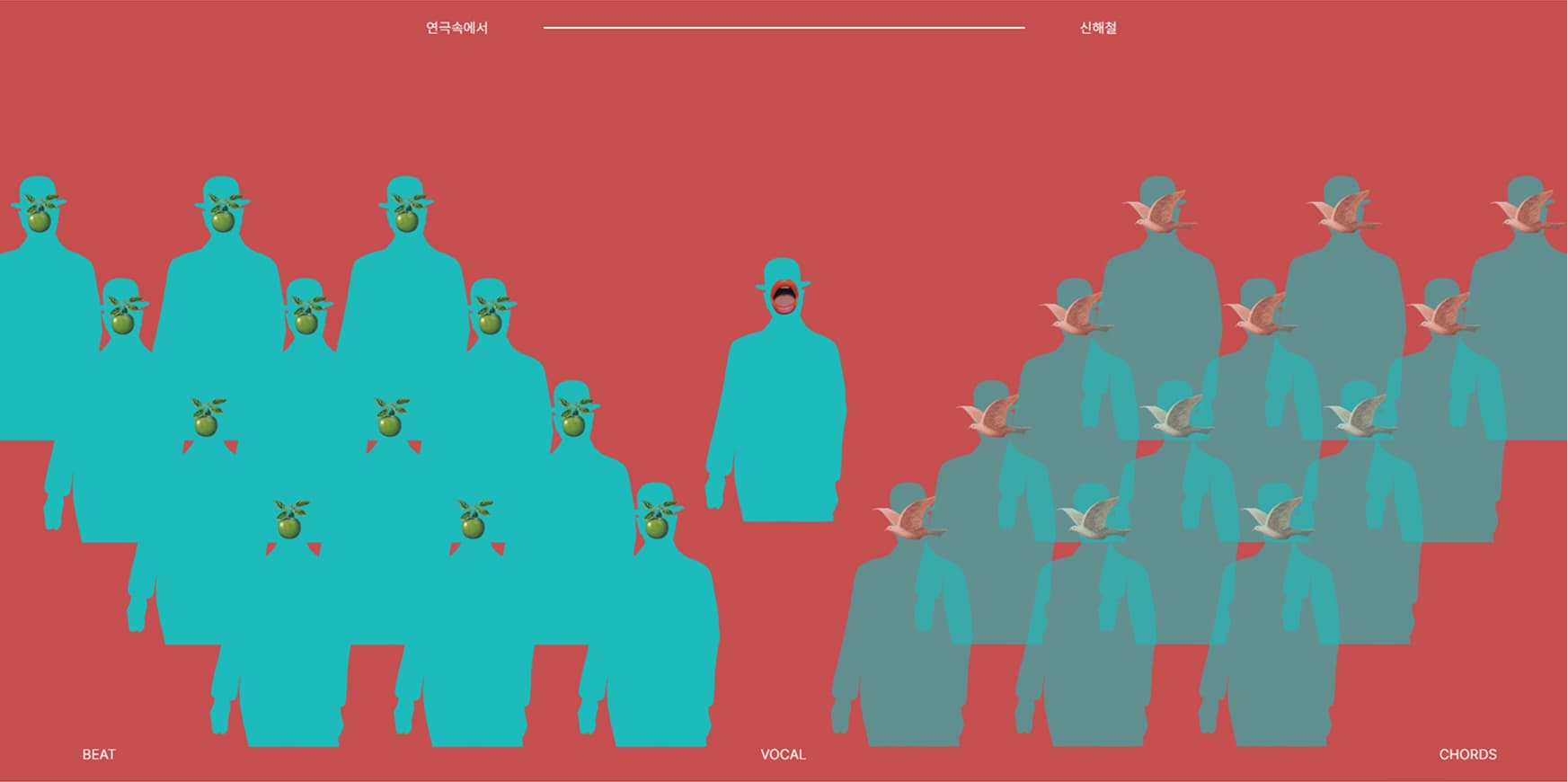
Choir and Conductor

I envisioned gestural control as conducting an orchestra, aiming for users to feel they are leading a choir.

How to Control

Operational manual

Volume

pinch gesture with vertical movement
in the desired stem area.

const pinchState = { Left: { active: false, lastAt: 0, zoneAtOn: null, lastTipY: null }, Right: { active: false, lastAt: 0, zoneAtOn: null, lastTipY: null }, }; function updatePinch(handed, pinch, cxNorm, sm) { if (handPoseState[handed].label === 'FIST') return; if (handed === 'Right') { const lastOpenAt = handPoseState[handed]?.lastOpenAt || 0; if (performance.now() - lastOpenAt < 1000) return; } //pinchState가 active이면 볼륨 조절 실행 if (pinchState[handed]?.active) { //핀 손가락이 2개 이하면 핀치 아님 const scores = computeFingerOpenScores(sm); const openFlags = scores.map((s) => s >= 0.5); const openCount = openFlags.reduce((a, b) => a + (b ? 1 : 0), 0); if (openCount <= 2) { pinchState[handed].active = false; return; } applyPinchVolume(handed, sm); } if (!pinchState[handed]) pinchState[handed] = { active: false, lastAt: 0 }; const S = pinchState[handed]; if (!S.active && pinch >= CFG.pinchOn) { S.active = true; S.zoneAtOn = classifyZoneByXNorm(cxNorm); S.lastTipY = sm?.[8]?.y ?? null; return; }
if (S.active && pinch <= CFG.pinchOff) { S.active = false; S.zoneAtOn = null; S.lastTipY = null; const color = handed === 'Left' ? 'color:#1DBBBB;'; console.log(`%c${handed} pinch OFF`, color); } } // --------------------------- Db volume control --------- const zoneVolumes = { Left: 0, Center: 0, Right: 0 }; function applyPinchVolume(handed, sm) { const S = pinchState[handed]; const tipY = (2 * sm[4].y + sm[8].y) / 3; const s = handScale(sm) || 1e-6; if (S.lastTipY === null) { S.lastTipY = tipY; return; } const dyNorm = (S.lastTipY - tipY) / s; //손 크기 대비 y 이동량 if (Math.abs(dyNorm) < CFG.moveDeadband) { S.lastTipY = tipY; return; }

Seek forward/backward

right-hand wrist-twist with thumb and little finger extended.

function wrapPi(a) { if (a > Math.PI) a -= 2 * Math.PI; if (a < -Math.PI) a += 2 * Math.PI; return a; } const yawJogState = { Right: { active: false, lastTheta: null, lastT: 0, velEma: 0, offSince: 0 }, }; let shakaing = false; function detectYawJog(handed, sm) { if (handed !== 'Right') return; if (pinchState?.Right?.active) return; // 핀치 중이면 배제 // 샤카 게이트: 엄지/새끼 펴짐, 나머지 3개 접힘 const scores = computeFingerOpenScores(sm); const open = scores.map((s) => s >= 0.5); const shaka = open[0] && open[4] && !open[1] && !open[2] && !open[3]; if (!shaka) { // 게이트 해제 시 상태만 정리 const ST = yawJogState.Right; // 기준 재설정(점프 방지) const c = sm[9], v = { x: sm[4].x - c.x, y: sm[4].y - c.y }; ST.lastTheta = Math.atan2(v.y, v.x); ST.lastT = performance.now(); ST.velEma = 0; ST.offSince = 0;
const c = sm[9]; const v = { x: sm[4].x - c.x, y: sm[4].y - c.y }; const s = handScale(sm) || 1e-6; const rNorm = Math.hypot(v.x, v.y) / s; if (rNorm < CFG.yawJog.minRad) return; const theta = Math.atan2(v.y, v.x); const now = performance.now(); const ST = yawJogState.Right; const dt = Math.max(1e-3, (now - ST.lastT) / 1000); const dth = wrapPi(theta - ST.lastTheta); let omega = dth / dt; //각속도 rad/s (반시계 +, 시계 -) if (CFG.yawJog.flipDir) omega = -omega; // 방향 뒤집기 옵션 // 각속도 EMA const a = CFG.yawJog.emaAlpha; ST.velEma = ST.velEma === 0 ? omega : ST.velEma * (1 - a) // 데드밴드 & 속도 맵핑 let rate = Math.abs(ST.velEma) < CFG.yawJog.deadbandVel ? 0 : CFG.yawJog.kVel * ST.velEma; rate = Math.max(CFG.yawJog.minRate, Math.min(CFG.yaw shakaing = true; if (rate !== 0) { try { if (window.opener && !window.opener.closed) { window.opener.postMessage(

Previous/next track

right-hand horizontal movement

function detectSwipe(handed, sm) { if (handed !== 'Right') return; const pose = handPoseState?.Right?.label || 'OPEN'; if (pose === 'FIST') return; if (pinchState?.Right?.active) return; const s = handScale(sm) || 1e-6; const x = (sm[5].x + sm[9].x) / 2; const y = (sm[5].y + sm[9].y) / 2; const now = performance.now(); const ST = swipeState.Right; if (ST.lastX == null) { ST.lastX = x; ST.lastY = y; ST.lastT = now; ST.vxEma = 0; return; } const dt = Math.max(1e-3, (now - ST.lastT) / 1000); // s const dx = (x - ST.lastX) / s; const dy = (y - ST.lastY) / s; const vx = dx / dt; const a = CFG.swipe.emaAlpha; const vxEma = ST.vxEma === 0 ? vx : ST.vxEma * (1 - a) + vx * a; ST.vxEma = vxEma; // 2) ARMING if (ST.phase === 'ARMING') { // 게이트 깨지면 리셋 if (!speedGate || pose === 'FIST' || pinchState?.Right?.active) { ST.phase = 'IDLE'; ST.lastX = x; ST.lastY = y; ST.lastT = now; return; }
// 수직 움작임 과하면 리셋 if (Math.abs(ST.sumDy) > CFG.swipe.yLimit) { ST.phase = 'IDLE'; ST.lastX = x; ST.lastY = y; ST.lastT = now; return; } // 시간 초과하면 라셋 if (now - ST.armedAt > CFG.swipe.armingWindowMs) { ST.phase = 'IDLE'; ST.lastX = x; ST.lastY = y; ST.lastT = now; return; } if (Math.abs(ST.sumDx) >= CFG.swipe.dMin) { // 방향 결정 let dir = ST.sumDx < 0 ? 'LEFT' : 'RIGHT'; if (CFG.swipe.flipDir) dir = dir === 'LEFT' ? 'RIGHT' : 'LEFT'; if (dir === 'LEFT') { console.log('%cNext Track', 'color:#4CAF50;font-weight:bold;'); } else { console.log('%cPrevious Track', 'color:#FF9800;font-weight:bold;'); } try { if (window.opener && !window.opener.closed) { window.opener.postMessage( { type: 'swipe', value: dir === 'LEFT' ? 'nextTrack' : 'previousTrack', }, '*' ); } }

Play/Pause

right-hand fist/open

function palmCenter(lms) { const idx = [0, 5, 9, 13, 17]; let x = 0, y = 0; for (let i = 0; i < idx.length; i++) { x += lms[idx[i]].x; y += lms[idx[i]].y; } return { x: x / idx.length, y: y / idx.length }; } function angleAt(a, b, c) { // 각 b (°) const v1 = { x: a.x - b.x, y: a.y - b.y }; const v2 = { x: c.x - b.x, y: c.y - b.y }; const n1 = Math.hypot(v1.x, v1.y) || 1e-6; const n2 = Math.hypot(v2.x, v2.y) || 1e-6; const cos = (v1.x * v2.x + v1.y * v2.y) / (n1 * n2); return (Math.acos(Math.max(-1, Math.min(1, cos))) * 180) / Math.PI; } function map01(v, lo, hi) { if (hi === lo) return 0.5; const t = (v - lo) / (hi - lo); return Math.max(0, Math.min(1, t)); } function computeFingerOpenScores(sm) { // Mediapipe 인덱스 체인: [MCP, PIP, TIP] 사용(엄지는 [2,3,4]) const defs = [ { m: 2, p: 3, t: 4 }, //Thumb { m: 5, p: 6, t: 8 }, // Index { m: 9, p: 10, t: 12 }, // Middle { m: 13, p: 14, t: 16 }, // Ring { m: 17, p: 18, t: 20 }, // Pinky ]; const center = palmCenter(sm); const s = handScale(sm) || 1e-6;
if (openCount === 0) { // 모두 굽힘 nextLabel = 'FIST'; } else if (openCount >= 4) { // 대부분 펴짐 nextLabel = 'OPEN'; } if (nextLabel !== S.label) { S.label = nextLabel; if (S.label === 'FIST') { // 메인 창으로 정보 전송 try { if (window.opener && !window.opener.closed) { window.opener.postMessage({ type: 'fistOpen', state: 'FIST' }, '*'); } } catch (e) { console.warn('postMessage failed', e); } console.log('%cPause', 'color:#FF0000;font-weight:bold;'); } else if (S.label === 'OPEN') { S.lastOpenAt = performance.now(); try { if (window.opener && !window.opener.closed) { window.opener.postMessage({ type: 'fistOpen', state: 'OPEN' }, '*'); } } catch (e) { console.warn('postMessage failed', e); } console.log('%cPlay', 'color:#FF0000;font-weight:bold;'); } } return S.label;
Technical Stack

Languages, Software, and AI Models

Development

JavaScriptTone.jsMediaPipeHTML/CSS

AI Model

Ultimate Vocal Remover (UVR)ChatGPT

Design & Editor

FigmaPhotoshoppremiere proVS Code

System Architecture

Logical Flow and Data Structure
Input

Input

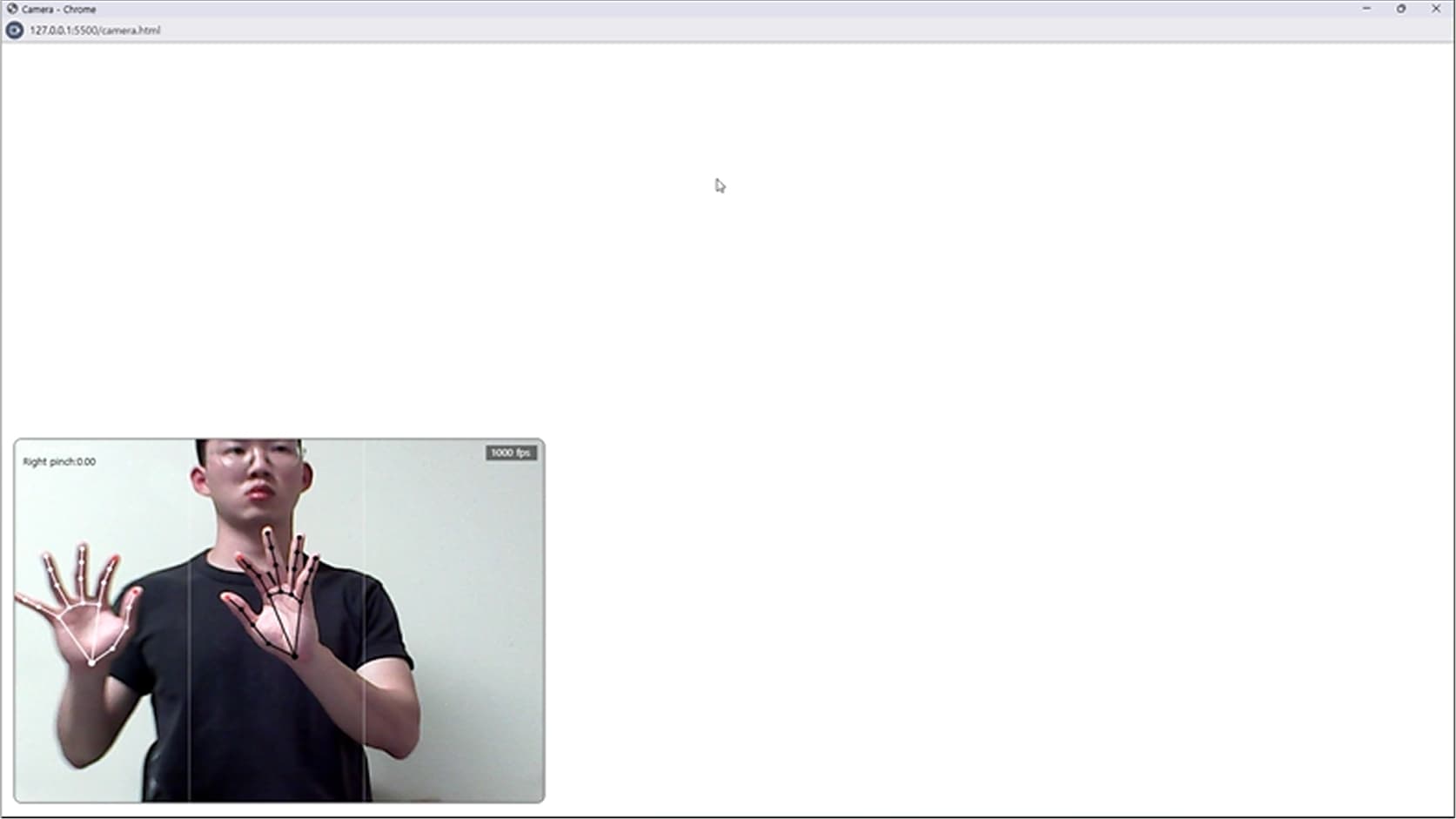
Receiving real-time hand
position data via MediaPipe.

hands.js
Data Preprocessing
Mapping Positions to Coordinates
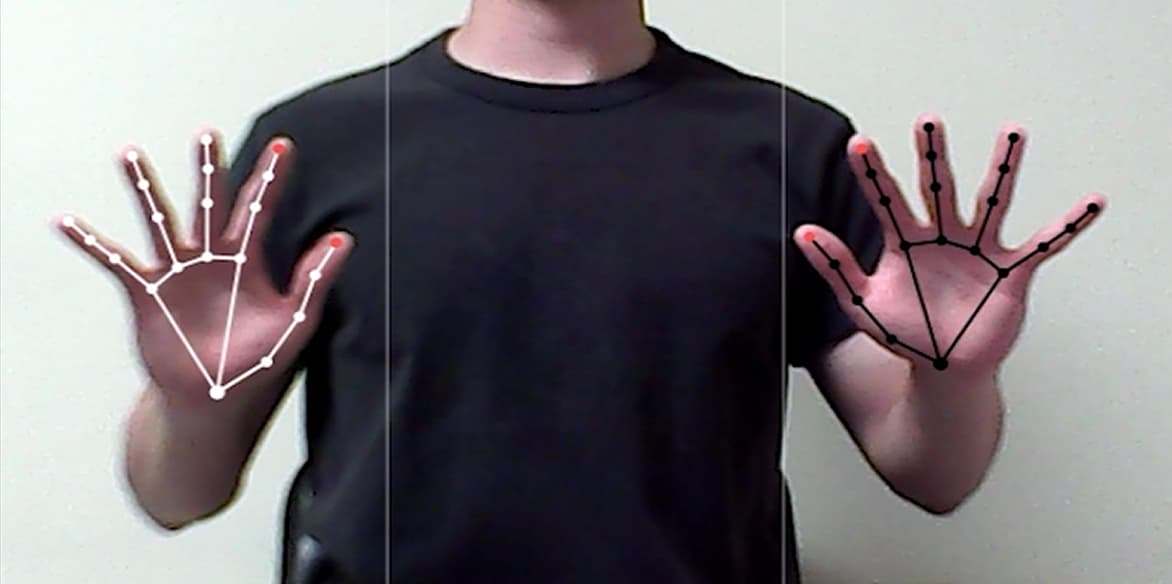
1. Hand TrackingMapping finger joints into 21 distinct landmark coordinates from the camera feed.
2. Data SmoothingStabilizing hand movements using the Exponential Moving Average (EMA) algorithm to reduce jitter.
3. Hand Size NormalizationAdjusting for relative hand size variations based on the distance from the camera.
Gesture Interpretation & Intent Recognition
Translating Coordinates into Commands
Fist/Open
Pause and Play

1. Calculating the number and flexion angles of extended fingers.

If 5 fingers bent
then 'Fist'
If 4 or more fingers extended
then 'Open'

2. 'Fist' to PAUSE , 'OPEN' to 'Play'.


Pinch UP/Down
Volume

1. Detection.

If dist(thumb, index) < 0.3s (where s is the reference palm length) then 'Pinch'


2. Converting the Y-axis displacement into volume levels (dB).

* Filtering out micro-jitters by only registering movement that exceeds a predefined threshold.

Swipe
Track Navigation

1. Calculating X-axis movement speed (Displacement over Time).

If velocity > Threshold
then 'Swipe'


2. 'Swipe Left' to 'Next Track', 'Swipe Right' to 'Previous Track'.

* Prevents accidental continuous track skipping by implementing a temporary input lockout (Cooldown phase).

Wrist Twist
Playback Rate

1. Shaka Gesture Detection.


2. Converting the Y-axis displacement into volume levels (dB).

Angle Calculation (θ)
theta = atan2(y_thumb - y_center, x_thumb - x_center)

Angular Velocity (ω)
omega = (theta_current - theta_prev) / delta_t

main.js
Communication & Audio Control
Mapping Commands to Audio Parameters

Mapping audio-related parameters received as JSON signals from hands.js to functional engine parameters.

choir.js
Visualization & Feedback
Mapping Audio Parameters to Visual Responses
Synchronizing Animation with Music BPM

Converting current music BPM and
playback seconds into the target frame
index for synchronization.

Synchronizing Audio Volumes with Visual Opacity Levels

Implementing Linear Interpolation (LERP)
to calculate the smooth transition between
target and current opacity levels.

Val_new = Val_current + (Val_target - Val_current) * 0.1

System Output
Blue Magritte

How I Collaborated with AI

through a Partnership

1

Organic Collaboration between Humans and AI

While Humans Imagine and AI Realizes.

Case:
Designing a data pipeline to translate Y-axis variation
of the index finger (Landmark 8) into audio volume
(dB) upon pinch gesture detection.

AI possesses boundless execution power, which paradoxically means that misguided human instructions can lead to the mass production of flawed outcomes. Therefore, humans must act as directors, continuously steering the AI to ensure it remains on the right track.

To achieve this, the relationship must evolve beyond a hierarchical command-and-response model into a cyclical structure. In this framework, continuous dialogue and mutual verification drive the co-evolution of the final output.

Me
// [hands.js] Restructured 'updatePinch' to ingest 'sm' // Ingests 'sm' (smoothed coordinate data) as an argument function updatePinch(handed, pinch, cxNorm, sm) { // ... (omitted) // Invokes the decoupled volume control function when pinch state is active if (pinchState[handed]?.active) { // ... (Logic to verify finger count) applyPinchVolume(handed, sm); // Delegates complex logic to an external function } // ... (State management logic for Pinch ON/OFF transitions) } // [hands.js] Externalized Logic function applyPinchVolume(handed, sm) { const S = pinchState[handed]; // Centralizes core logic for calculating Y-axis displacement const tipY = (2 * sm[4].y + sm[8].y) / 3; // ... (Logic for Delta calculation and Volume Mapping) }
// [hands.js] The 'handScale' Function (Euclidean Distance 0 to 9) function handScale(landmarks) { const a = landmarks[0], // Wrist b = landmarks[9]; // Middle Finger Base return dist(a, b) || 1e-6; }
1. Design Data Pipeline for Pinch Coordinate Calculation

Restructured the updatePinch function to ingest coordinate data (sm) from higher- order functions—data it did not originally possess—to calculate the precise movement of the pinched hand.

Streamlined the system architecture by externalizing complex Y-axis displacement logic into a dedicated function (applyPinchVolume).

2. Design Normalization Algorithm for Depth-Based Scale Compensation

Developed the handScale function to calculate the Euclidean distance between the wrist (Landmark 0) and the base of the middle finger (Landmark 9).

Designed a universal normalization algorithm to be shared across all gesture detection functions (Pinch, Swipe, Jog) within hands.js, resolving scaling errors caused by varying hand depths.

AI
1. Algorithmic Feedback

Suggested and implemented an algorithm to reflect transformed zoneVolumes[zone] values onto the respective channel volumes using window.addEventListener('zoneVolume', ...).

2. Code Execution

Pinch ON:
Fixed zoneAtOn and lastTipY to establish a stable reference point.

Pinch Maintain:
Normalized Y-displacement via handScale and updated zoneVolumes within a clamped -10 to +10 dB range.

Pinch OFF:
Reset lastTipY to null to prevent value jumps during the next activation.

// [hands.js] Real-Time Data Transmission Loop function applyPinchVolume(handed, sm) { // ... (Volume calculation logic) // Transmit the calculated Zone and dB values to the main window try { if (window.opener && !window.opener.closed) { window.opener.postMessage( { type: 'pinchVolume', zone, db: next }, '*' // Explicitly allows communication with the opener ); } } catch (e) { console.warn('postMessage failed', e); } }
// [hands.js] Pinch Maintain: Depth-Normalized Volume Control function applyPinchVolume(handed, sm) { const S = pinchState[handed]; const tipY = (2 * sm[4].y + sm[8].y) / 3; const s = handScale(sm) || 1e-6; const dyNorm = (S.lastTipY - tipY) / s; const zone = S.zoneAtOn; const prev = zoneVolumes[zone]; const next = Math.max( CFG.volMinDb, Math.min(CFG.volMaxDb, prev + dyNorm * CFG.dbPerUnit) ); zoneVolumes[zone] = next; S.lastTipY = tipY; }
// [hands.js] Pinch State Machine function updatePinch(handed, pinch, cxNorm, sm) { const S = pinchState[handed]; // Pinch ON: Initialize Reference Point if (!S.active && pinch >= CFG.pinchOn) { S.active = true; S.zoneAtOn = classifyZoneByXNorm(cxNorm); S.lastTipY = sm?.[8]?.y ?? null; return; } // Pinch OFF: Reset State if (S.active && pinch <= CFG.pinchOff) { S.active = false; S.zoneAtOn = null; S.lastTipY = null; } }
Me
function applyPinchVolume(handed, sm) { // ... (Previous logic: Get current tip position & Hand scale) const dyNorm = (S.lastTipY - tipY) / s; // ... (Logic: Apply Deadband & Update zoneVolumes) ... }
AI-Generated Code Review & Debugging

Identified a missing reference point update following delta calculation and integrated S.lastTipY = tipY; to ensure continuous tracking accuracy.

Resolved a critical logic error where a static reference point caused minor movements to accumulate identical deltas every frame, leading to uncontrolled volume spikes.

AI
1. Final Code Review

Verified the operation of updatePinch(handed, pinch, cxNorm, sm) and conducted code stability testing.

2. Suggesting Additional Features

Proposed debugging utilities.
Recommended displaying Left, Center, and Right boundaries on-screen.

2

Top-Down Learning

Goal-Oriented Learning Fueled by Necessity

Case:
Learning and Designing the Fist Detection Algorithm

Various identification techniques were studied through top-down Q&A with AI, leading to the design of an optimal logic that ensures both stability and response speed.

My learning process was a series of deep dives with AI, triggered by the specific technical challenges and knowledge gaps encountered throughout the project.

This top-down approach is fueled by immediate necessity, which creates a powerful and focused drive to learn. By bypassing extraneous theory to prioritize direct problem-solving, learning efficiency is dramatically maximized. Through real-time application and iterative trial and error, complex concepts are fully mastered and internalized as they are needed.

1. Learning Four Major Approaches to Fist Detection

Distance-Based:

Measures the distance between the palm center and fingertips. This method requires normalization based on hand scale

Auxiliary:

Utilizes fingertip height (y-value) or total hand area (Convex Hull). These methods are vulnerable to rotation or side-view profiles.

Angle-Based:

Calculates the included angles between finger joints (MCP-PIP-DIP). This provides more precise measurement than distance-based methods.

Stabilization Techniques:

Learned techniques to prevent data jittering by applying frame smoothing (EMA) and hysteresis.

2. Designing the Fist Detection Algorithm Based on Learned Content

Adopting Hybrid Detection Logic:

Designed a composite algorithm that performs primary detection via "Normalized Tip-to-Palm Distance" and secondary correction through "Joint Angles (Curl)".

Used the joint angle method to compensate for errors in distance-based measurements caused by the hand's angle relative to the camera screen.

Strict FIST Criteria:

Strengthened the conditions to recognize a 'FIST' only when all five fingers are clearly not in an 'open' state to prevent accidental triggers.

Immediate Responsiveness:

Unlike typical implementations, the logic confirms the label if a fist is detected for even a single frame. This was implemented to allow for music control at the exact desired timing without delay.

Applying Smoothing and Hysteresis:

Applied hysteresis to the transition zones (Open <--> Fist) to prevent malfunctions caused by data noise.

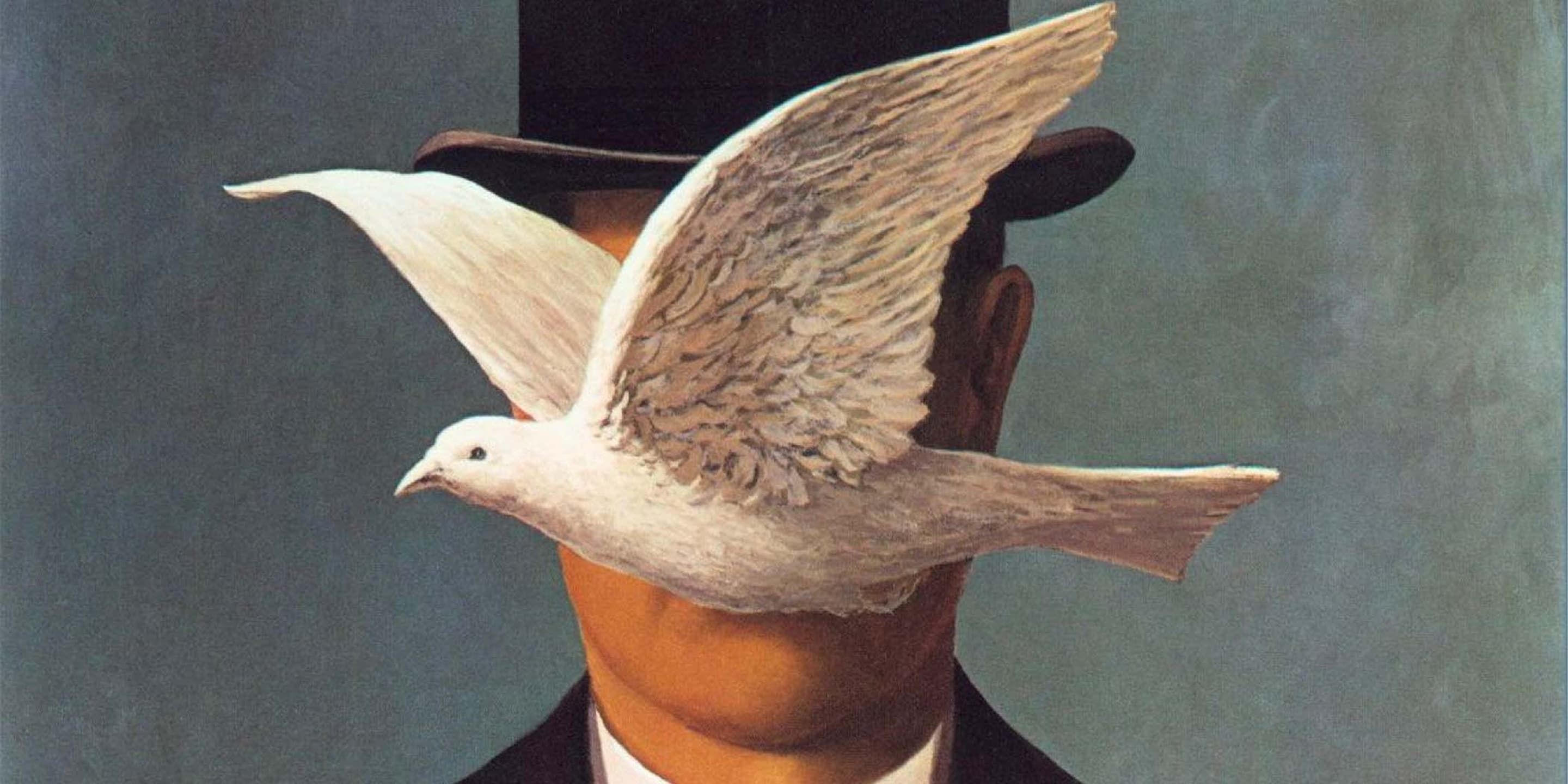
Pigeon
3

Narrowing the Candidate Solutions

Quickly Reducing the Boundary of Possible Solution Candidates

Case:
Evaluating Techniques for Dance Animation Production

Prototypes of potential solutions were immediately developed and tested. This approach allowed for the reduction of meaningless calculations and the rapid elimination of options.

Code-driven (SVG/WAAPI)

A method of writing the entire animation using mathematical code.

Video-based (MP4/WebM)

A manual approach of producing videos directly using Photoshop and Premiere Pro.

Advantages
  • Lightweight, GPU-accelerated processing

  • High browser compatibility

  • Seamless integration with user input values

  • Simplified maintenance

Immediate Prototyping

Identified Issues

Excessive code complexity when representing human body movements

Difficulty in implementing hand-painted textures

const chorus = document.getElementById('chorus');
const SINGER_COUNT = 31;

// Singer SVG Template Generator
function createSingerSVG() {
  const xmlns = 'http://www.w3.org/2000/svg';
  const svg = document.createElementNS(xmlns, 'svg');
  svg.setAttribute('class', 'singer');
  svg.setAttribute('viewBox', '0 0 60 100');
  svg.setAttribute('width', '60');
  svg.setAttribute('height', '100');

  // Head
  const head = document.createElementNS(xmlns, 'circle');
  head.setAttribute('cx', '30');
  head.setAttribute('cy', '15');
  head.setAttribute('r', '10');
  svg.appendChild(head);

  // Torso (Body)
  // A simple rounded path
  const torso = document.createElementNS(xmlns, 'path');
  torso.setAttribute('class', 'torso');
  // Simple body shape
  torso.setAttribute('d', 'M20,28 Q30,28 40,28 L40,70 Q30,75 20,70 Z');
  torso.style.transformBox = 'fill-box';
  torso.style.transformOrigin = 'bottom center';
  svg.appendChild(torso);

  // Left Arm Group (pivot at shoulder)
  const armLGroup = document.createElementNS(xmlns, 'g');
  armLGroup.setAttribute('class', 'armL');

  armLGroup.style.transformBox = 'view-box';
  armLGroup.style.transformOrigin = '20px 30px';

  const armLRect = document.createElementNS(xmlns, 'rect');
  armLRect.setAttribute('x', '12'); // slightly left of shoulder
  armLRect.setAttribute('y', '30');
  armLRect.setAttribute('width', '8');
  armLRect.setAttribute('height', '35');
  armLRect.setAttribute('rx', '4');
  armLGroup.appendChild(armLRect);
  svg.appendChild(armLGroup);

  // Right Arm Group
  const armRGroup = document.createElementNS(xmlns, 'g');
  armRGroup.setAttribute('class', 'armR');
  // Shoulder position approx (40, 30)
  armRGroup.style.transformBox = 'view-box';
  armRGroup.style.transformOrigin = '40px 30px';

  const armRRect = document.createElementNS(xmlns, 'rect');
  armRRect.setAttribute('x', '40');
  armRRect.setAttribute('y', '30');
  armRRect.setAttribute('width', '8');
  armRRect.setAttribute('height', '35');
  armRRect.setAttribute('rx', '4');
  armRGroup.appendChild(armRRect);
  svg.appendChild(armRGroup);

  return svg;
}
const singers = [...document.querySelectorAll('.singer')];

function makeAnimations(svgEl, seed = 0) {
 
  const torso = svgEl.querySelector('.torso');
  const armL = svgEl.querySelector('.armL');
  const armR = svgEl.querySelector('.armR');

  // Animation Keyframes

  // Body Sway
  const bodyAnim = torso.animate(
    [
      { transform: 'translate(0,0) rotate(0deg)' },
      { transform: 'translate(0,-1px) rotate(-2deg)' }, 
      { transform: 'translate(0,0) rotate(0deg)' },
      { transform: 'translate(0,1px) rotate(2deg)' }, 
      { transform: 'translate(0,0) rotate(0deg)' },
    ],
    {
      duration: 1600 + Math.random() * 200,
      iterations: Infinity,
      easing: 'ease-in-out',
      delay: seed,
    },
  );

  // Arm Swing
  const armLAnim = armL.animate(
    [
      { transform: 'rotate(10deg)' },
      { transform: 'rotate(-10deg)' },
      { transform: 'rotate(10deg)' },
    ],
    {
      duration: 1200 + Math.random() * 100,
      iterations: Infinity,
      easing: 'ease-in-out',
      delay: seed,
    },
  );

  const armRAnim = armR.animate(
    [
      { transform: 'rotate(-10deg)' },
      { transform: 'rotate(10deg)' },
      { transform: 'rotate(-10deg)' },
    ],
    {
      duration: 1200 + Math.random() * 100,
      iterations: Infinity,
      easing: 'ease-in-out',
      delay: seed + 100, // Phase shift
    },
  );

  return [bodyAnim, armLAnim, armRAnim];
}

Partial Integration of Video-based Methods

Partial Integration of Video-based Methods

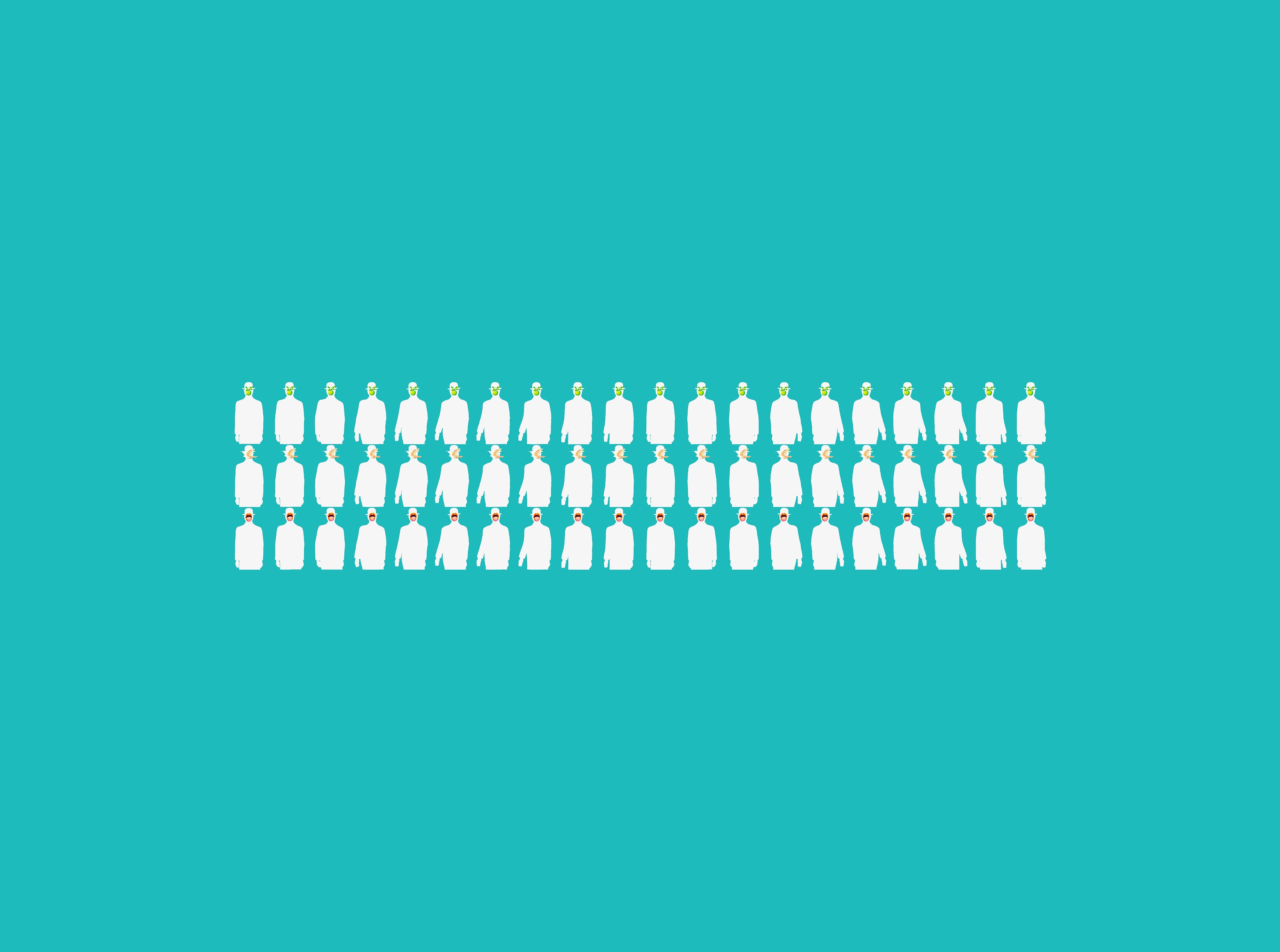
Created a sprite sheet by stitching together 20 individual frame frames.

Programmed the system to display specific frames in synchronization with the beat.

function computeFrameIndex(seconds, bpm) {
  const frames = cfg.frames; //20
  const subdivision = cfg.subdivision;
  const beats =
    seconds * (bpm / 60) * subdivision * Math.max(0, Math.abs(signedRate));
  let idx = Math.floor(beats) % frames; //1비트마다 +1 (0~19)
  if (signedRate < 0) {
    idx = (frames - 1 - idx + frames) % frames;
  }
  return idx;
}
Magritte EpilogueMagritte Epilogue 2Magritte Ending